read receipts
The Meeting You Never Agreed To Is Already Blocking Your 2 P.M.
An unsolicited .ics file can plant a malicious link on your calendar before you open a single email. The reason is a setting you've probably never touched.
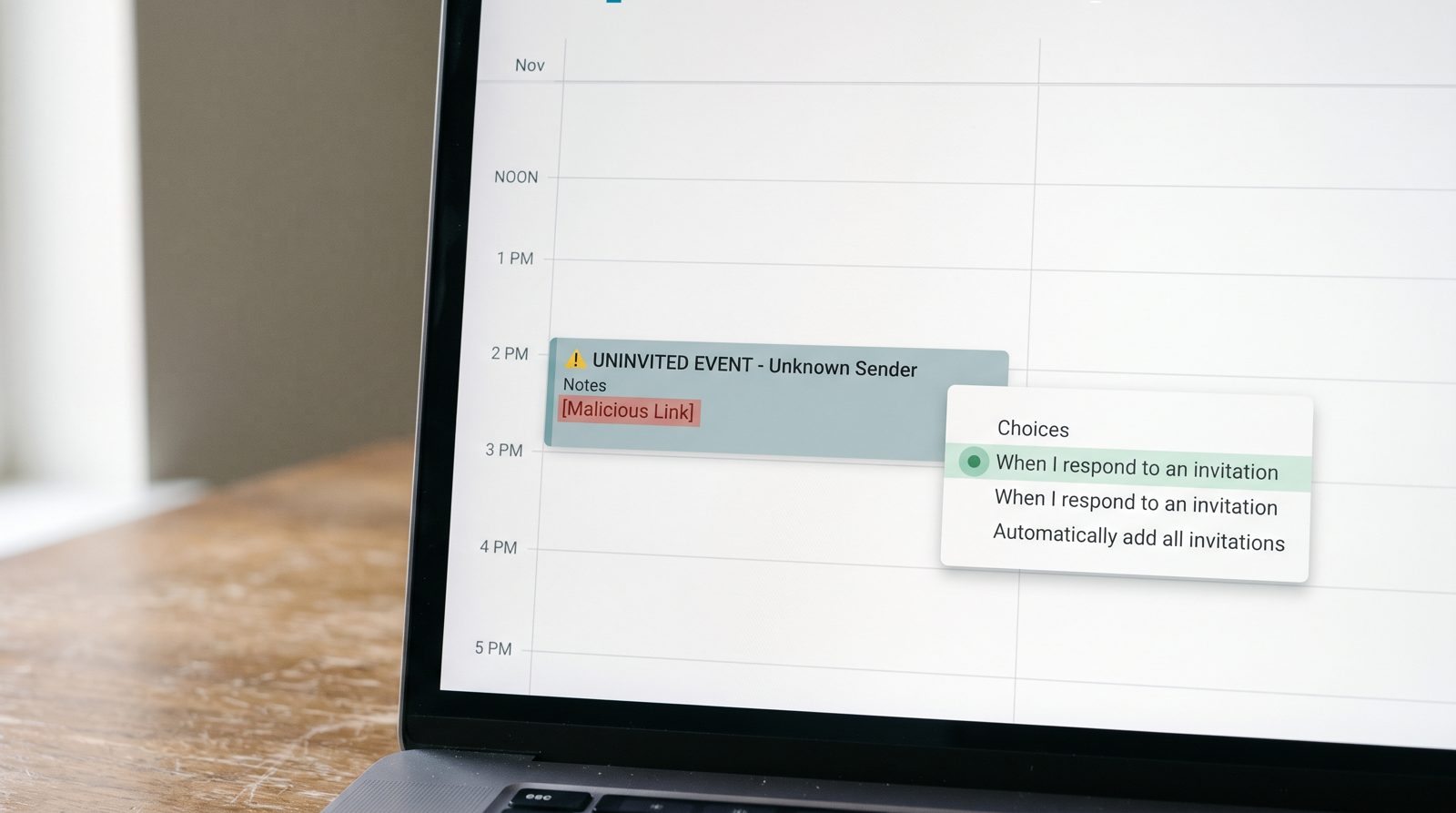
A calendar invite from a stranger can land on your schedule — complete with a clickable link and a notification — without you ever accepting it, opening the email, or even seeing it hit your inbox. That's by design: Google Calendar's default behavior adds invitations automatically. The fix is one dropdown most people have never opened, and flipping it closes the whole trick.
How does a calendar invite get on my schedule if I never clicked anything?
Because Google Calendar is built to add invitations for you, and for years the default setting did it regardless of whether you'd replied. An .ics file is just a small text attachment describing an event — title, time, location, and a notes field. When an email carrying one arrives, Google's calendar reads it and drops a tentative event straight onto your grid. Google's own help documentation describes the "Add invitations to my calendar" setting with options including "From everyone" — meaning any sender, known or not. Microsoft 365 has the same mechanics on the Outlook side, which is why Microsoft publishes separate guidance on handling calendar spam. The event shows up with a reminder, and reminders are the point: a notification at 2 p.m. feels like something you forgot, not something a scammer scheduled.
Why is a calendar entry a better phishing trick than an email?
It skips the part where you decide whether to trust the sender. A phishing email has to survive your skepticism — the weird address, the odd greeting, the hover-before-you-click reflex some people have trained. A calendar event bypasses all of that. It arrives looking like your own commitment. The notes field and the location field both accept URLs, so the attacker plants a link labeled something urgent — "review the shared document," "confirm your payout" — and your phone buzzes it to the top of your attention at the exact minute they chose. The Better Business Bureau flagged calendar-invite scams years ago precisely because they arrive pre-trusted. You're not evaluating a message. You're reading your own agenda, which you have no reason to doubt.
What's the one toggle that stops it?
Change who can auto-add events to your calendar, and set it so only invitations you respond to appear. In Google Calendar on the web, open Settings, go to Event settings, find Add invitations to my calendar, and switch it from "From everyone" to "When I respond to the invitation in email." Now nothing lands until you actually say yes. A few practical notes: this is a web-only setting, so do it on a desktop even if you live on your phone. Deleting a spam event by tapping "No" can tip the sender that your address is live, so the cleaner move is to report it as spam and delete without responding. And if you run a shared or work calendar, check the same setting in your Microsoft 365 account, where tenant admins can tighten calendar processing for everyone. This is the same category of quiet inbox hygiene that tools like xmail's scam flagging exist to automate — but the calendar toggle, you own.
Does this fix every calendar scam?
No — it closes the easiest door, not all of them. Changing the auto-add setting stops uninvited events from appearing on their own, which kills the drive-by version of the attack. It won't stop a legitimate-looking invite from someone impersonating a colleague, and it won't help if you've genuinely accepted something you shouldn't have. The underlying lesson holds for anything that reaches your calendar: a link inside an event is exactly as trustworthy as a link inside an email, which is to say, not by default. The FBI's Internet Crime Complaint Center logged more than 193,000 phishing and spoofing complaints in its 2024 report, the most of any crime type. Not all of those came through calendars. But the ones that did worked because the victim never thought to be suspicious of their own schedule.
Sources
- Google Calendar Help — documentation for the 'Add invitations to my calendar' setting
- Microsoft Support — guidance on handling calendar spam in Outlook / Microsoft 365
- FBI IC3 2024 Internet Crime Report — annual complaint counts by crime type, including phishing/spoofing
- Better Business Bureau — scam warnings covering unsolicited calendar invites