read receipts
The 'Account Storage Full' Email Is a Phishing Favorite — Look at the Return-Path
The panic over a full mailbox is the whole point. Here's the one header line that tells you a real quota warning from a fake one.
A storage-quota warning scares you without asking for a cent, which is exactly why it works. The tell isn't the logo or the wording — it's the Return-Path header. A genuine Microsoft or Google quota notice comes from that company's own signed service domain. The fake rides a lookalike or a hijacked third-party server, and the Return-Path gives it away every time.
Why are 'storage full' emails suddenly everywhere?
Because they manufacture urgency without the red flag of a money request. A fake invoice asks you to pay; a quota warning just says "your inbox stops receiving mail in 24 hours — click to upgrade for free." No payment, no obvious ask, so your guard drops. Credential phishing is the engine here. Microsoft's threat researchers have repeatedly flagged storage- and quota-themed lures as a durable template in credential-harvesting campaigns, precisely because they route the victim to a login page rather than a checkout.
The scale is the uncomfortable part. The APWG's Phishing Activity Trends Report counted over 963,000 phishing attacks in a single quarter of 2024, with webmail and SaaS among the most-targeted sectors. "Your mailbox is full" is cheap to send, trivially localized, and lands in exactly the place it's talking about. That combination keeps it in heavy rotation.
What is the Return-Path and where do I find it?
It's the hidden envelope address that tells the mail system where to bounce a failed delivery, and it rarely matches a spoofed "From" line. The friendly "From: Microsoft Account Team" is cosmetic — anyone can type that. The Return-Path is set by the sending server and is what SPF and DMARC actually check against.
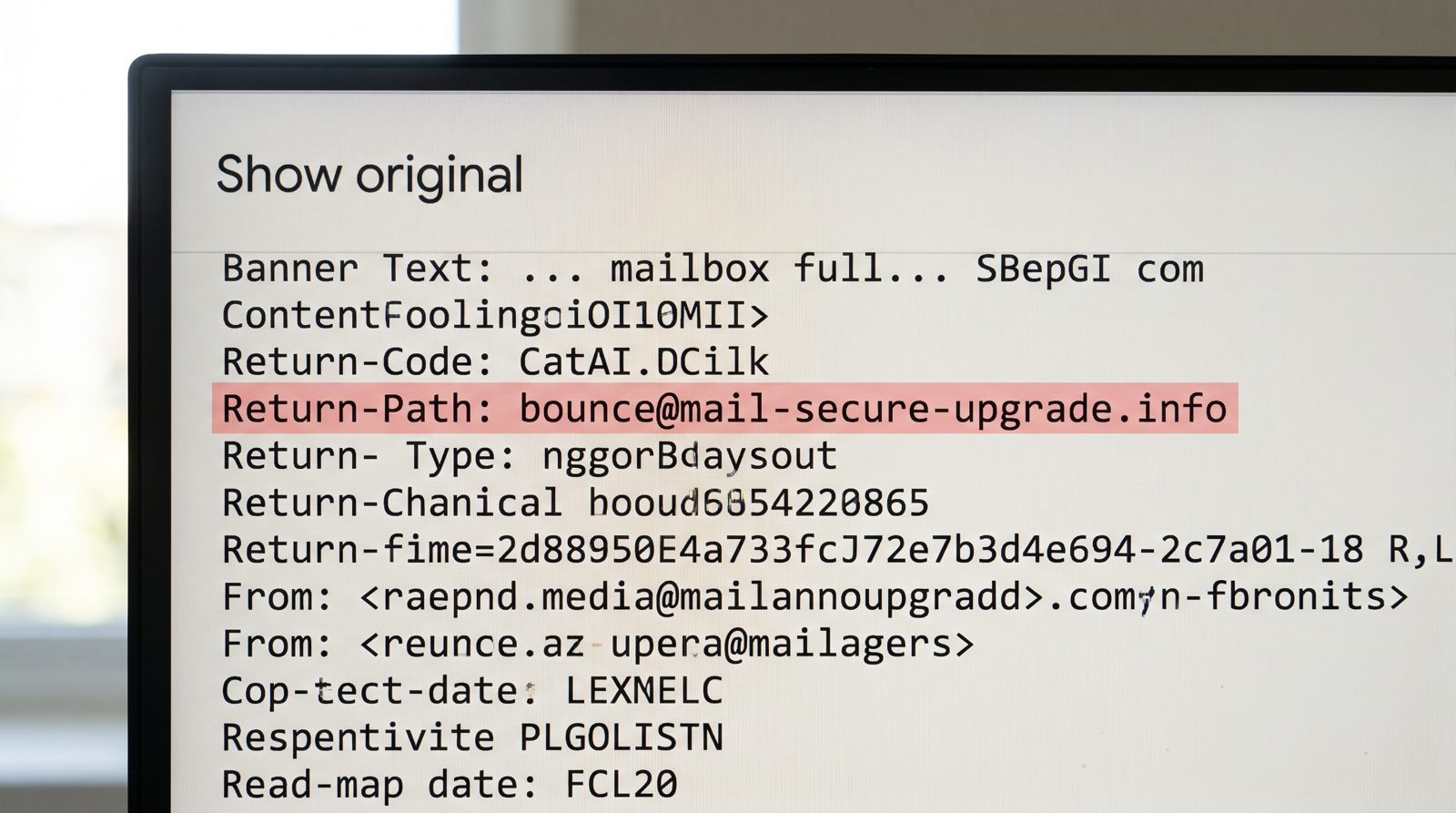
To see it, open the message's raw source. In Gmail, that's the three-dot menu, then "Show original." In Outlook, open the message and look at "Properties" for internet headers. Scan for three lines: Return-Path, Authentication-Results, and the signing domain in DKIM-Signature.
A real Google quota notice has a Return-Path ending in a google.com-controlled domain and an spf=pass tied to it. A real Microsoft one authenticates against microsoft.com or outlook.com infrastructure. If the Return-Path reads bounce@mail-secure-upgrade.info while the From claims to be Microsoft, the envelope and the costume don't match. That mismatch is the scam, stated in plain text.
How does a fake quota email pass the spam filter at all?
Often it doesn't spoof the big brand's domain — it hijacks a legitimate one. Attackers compromise a small company's marketing account or an obscure SaaS sender that already has valid SPF and DKIM records. The email then passes authentication honestly, because it genuinely came from that server. Authentication-Results shows dmarc=pass, and your filter waves it through.
That's the trap. A green authentication check means the message really came from the domain in the Return-Path — not that the domain is Microsoft. So the method is: read the Return-Path domain, then ask whether that domain has any business sending you a Microsoft storage alert. A courier's domain, a random .shop address, a Brazilian municipality's compromised server — none of them run your Outlook quota. This is the kind of mismatch an AI inbox that flags phishing is built to surface before you ever open it, by reading headers you'd rather not.
What should I actually do when one lands?
Never click the button in the email. Go to the service directly — type outlook.com or drive.google.com yourself — and check your storage there. If you're genuinely near a limit, both companies show it in the account settings, not via a surprise link.
The real notices also behave differently. Google and Microsoft warn you about storage inside the product and in their own account dashboards long before any email, and their messages don't countdown-clock you into panic. A legitimate quota email won't route you to a login page on an unrelated domain; the fake always does, because the login page is the entire point — it harvests your password.
One last habit: hover the button before you don't click it. If the destination host doesn't end in the brand's real domain, the Return-Path was telling you the truth all along.
Sources
- APWG Phishing Activity Trends Report — quarterly attack volume and most-targeted sectors, 2024
- Microsoft Security Blog — credential-phishing trends and quota/storage-themed lures
- Google: Check Google Account storage — how real storage limits are shown in-product