read receipts
The Email Trick That Names the Company That Sold You Out
A plus sign and a word is all it takes to catch the retailer that leaked your address — no apology required.
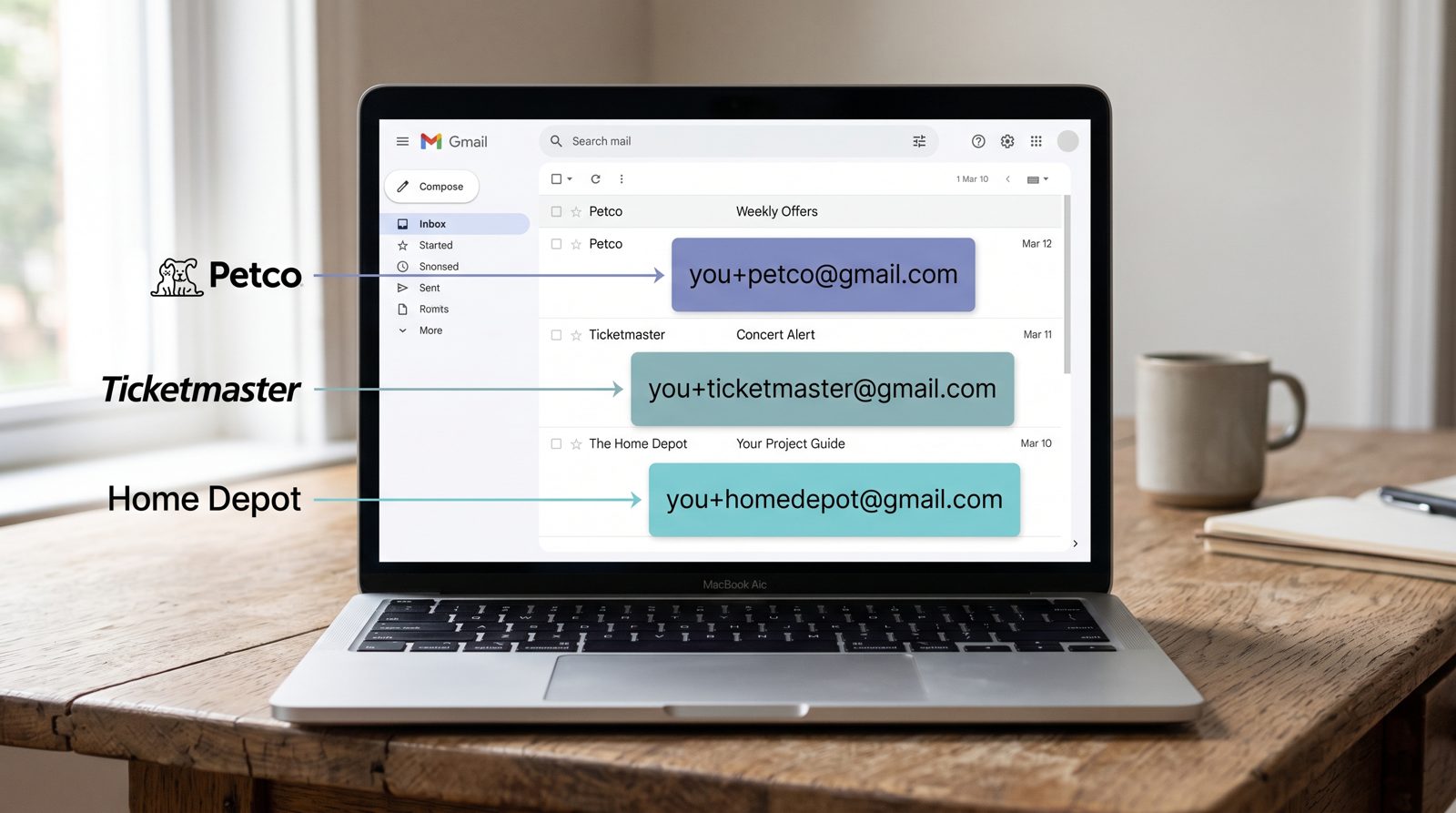
A few years back I started signing up for things as myname+homedepot@gmail.com and myname+ticketmaster@gmail.com, and then I mostly forgot about it. Until the spam started arriving — addressed, helpfully, to the exact tag I'd handed each company. The crypto pitch came in to the retailer alias. The fake invoice came in to a long-dead loyalty program. Each piece of junk carried a little nametag telling me precisely who'd leaked, sold, or been breached.
That's the whole magic of plus-addressing, and Gmail has supported it since 2008. Anything after a + in your address is ignored for delivery — mail to you+netflix@gmail.com lands in the same inbox as you@gmail.com — but it's preserved as text you can filter on. Google documents this plainly: the part after the plus is treated as an alias, not a separate account. One address, infinite labeled variations, zero setup.
Here's the part people miss. The alias isn't just an organizational toy. It's a forensic trip-wire.
If you only ever gave you+petco@gmail.com to one company, and spam starts hitting that alias, there is exactly one suspect. No denials, no "we take your privacy seriously" email, no guesswork. The tag is the receipt. I've watched aliases I used at a single checkout page turn up in data-broker dumps and phishing blasts, which tells you the address didn't escape through some cosmic accident. Somebody moved it.
This is also why I've basically stopped trusting the unsubscribe link as a defense. Unsubscribe asks a company that may have already sold your data to kindly stop emailing you. Sometimes it works. Sometimes the link itself is the phishing bait, confirming to a scammer that your address is live and that you read your mail. An alias doesn't negotiate. When a tag goes toxic, I build one Gmail filter — to: you+petco@gmail.com — and route the whole alias straight to trash forever. The leak is sealed from my side, no cooperation needed.
The scale of what you're defending against is the uncomfortable part. Troy Hunt's Have I Been Pwned has catalogued more than 14 billion compromised accounts across thousands of breaches. Your address is almost certainly in there several times over. Plus-addressing won't keep you out of the next dump, but it turns a breach from a mystery into a labeled exhibit — and it stops the fallout from one company poisoning your entire inbox.
The honest catch: because the trick is so well known, sharper spammers and some signup forms strip everything after the plus, which neuters the tag or rejects it outright. That's the one real weakness, and it's where Apple's Hide My Email earns its keep. Instead of a visible tag on your real address, it mints a completely random @icloud.com relay for each service, forwards to your inbox, and lets you kill any relay dead when it misbehaves — per-company, same idea, but the sender never sees your actual address to strip or scrape.
Use both. Plus-addressing for the fast, free, catch-the-culprit layer. A relay service for the places you don't trust to play nice. Either way, the point stands: the most reliable way to find out who sold your email isn't a privacy policy or a support ticket. It's a nametag you quietly stapled to yourself in 2008 and waited for someone to read back to you.
Sources
- Google / Gmail Help — Plus-addressing and alias behavior in Gmail
- Apple Support — How Hide My Email generates per-service relay addresses
- Have I Been Pwned — Breach dataset and pwned-account totals